







 We can find the best quiet rack cabinet for your requirements. See our wide range
 Best advice, best choice, best price, satisfaction guaranteed*
More Info

This page explains how the passive cooling design of the cabinet works, gives some thermal load guidelines and summarises our recommendations on how to best configure equipment inside the AcoustiRACK® to optimise cooling.
The equipment mounted inside the cabinet creates a low pressure area immediately behind the front door acoustic baffle, and a high pressure area immediately in front of the rear door sound baffle. Cool air is therefore drawn into the cabinet from the front, warmed by equipment, and expelled from the back of the cabinet around the rear door baffle.
Where necessary, for heavy thermal loads, this process can be enhanced by installing the Assisted Venting Roof (AVR) tray as an optional accessory (see the AcoustiRACK® Assested Venting Roof page for more details). The AVR helps expel warm air in the upper parts of the cabinet behind installed equipment to the outside.
The passive air venting design of the AcoustiRACK® is driven by cooling fans inside the installed equipment or servers. This means the cooling potential of the soundproofed cabinet is related, in part, to the cooling efficiency of the various installed equipment, and the location/configuration of the equipment inside each cabinet.
As such, the thermal capacities given below must only be considered as guidelines to maximum thermal loading. The thermal capacity for each quiet cabinet is going to be as unique as the selected servers/equipment installed, and influenced by a number of other factors including arrangement, capacity, and the immediate environment.
This information is only a guideline for the systems being constructed and is not intended to be a substitute for system builder verification, validation, and testing on the reliability and effectiveness of a thermal solution. See the section 'Calculating Thermal Load' (below) for helpful comments on calculating thermal loads.
24U AcoustiRACK® |
42U AcoustiRACK® |
|
Product Code |
AR-24U600x1000-G |
AR-42U600x1000-G |
Maximum Capacity* without Assisted Venting Roof |
2.0kW |
2.0kW |
Maximum Capacity* WITH Assisted Venting Roof |
3.0kW |
3.0kW |
*The maximum capacity figures are based on the assumptions that the Thermal Recommendations (below) have been satisfied, namely that room temperature does not exceed 25°C, the AcoustiRACK® is fitted with front blanking plates blocking vertical gaps between equipment, equipment is mounted at the front of the cabinet, and no obstruction to free air movement into and out from the cabinet exist. |
||
To achieve the best cooling efficiency inside the AcoustiRACK®, with or without the Assisted Venting Roof Tray, we recommend the following:
(i) Use of Blanking Plates for Empty Space
Ensure gaps between equipment in the front of the cabinet are filled using sound-proofed blanking plates wherever possible - this reduces re-circulation of warm air inside the cabinet. Blanking plates are available in 4U, 2U and 1U sizes, and add additional noise reduction because they are sound-proofed on the inside of the plate (using 7mm acoustic materials). Blanking plates are available as a reasonably priced optional accessory, because they are necessary for optimal thermal performance (see the Accessories page for more details).
(ii) Mount Equipment towards the Front of the Cabinet
Ensure 19-inch equipment is mounted towards the front of the cabinet - which will also prevent air recirculation, and therefore maximize the cooling potential of the enclosure. The front vertical 19-inch steel brackets should be located in the front-most position (the first set of holes - as they are fitted upon delivery), and the rear brackets moved forward to adjust for different equipment depth if necessary. Avoid mounting equipment in both the front and the rear of the cabinet, unless equipment at the rear is very low thermal output and is not cooled using assisted airflow.
(iii) Air Conditioning/Room Temperatures
Ensure room air temperature does not range above 25°C if at all possible. Temperatures inside any air-cooled rackmount cabinet are directly related to the intake air temperature and therefore are dependant on the efficiency of any room/building air conditioning.
(iv) Allow Adequate Venting Space
Ensure the location of the AcoustiRACK® does not inhibit free air circulation in front, behind and above the cabinet. AcoustiRACK® cabinets can be co-located side-by-side to form a row of 19-inch low-noise enclosures. Locate the AcoustiRACK® enclosure in a space that does not have a heat-source nearby (such as a radiator). We recommend allowing more than 250mm free air space above the roof of the unit, unless there is a roof air conditioning facility (such as an air extraction unit/duct) directly above the cabinet. We recommend allowing more than 1m free space in front of and behind the quiet cabinet.
This section aims to give comment on calculating thermal load, and provide some helpful links to key web resources.
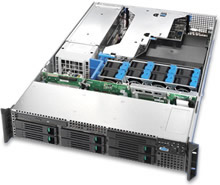 Technical
information regarding maximum thermal loads is given in the majority
of servers and 19-inch equipment documentation. It is noteworthy
that the pace of change is high in the processor and memory market,
and some thermal data may be out-of-date for some chassis given
recent advances in chip and memory power.
Technical
information regarding maximum thermal loads is given in the majority
of servers and 19-inch equipment documentation. It is noteworthy
that the pace of change is high in the processor and memory market,
and some thermal data may be out-of-date for some chassis given
recent advances in chip and memory power.
See:
The total thermal load of a system is made up from heat directly dissipated from power-hungry components (such as central processing units - CPUs) and heat generated by losses that occur whenever electrical power is converted or transformed. The main processors in a system will normally account for the largest proportion of the total thermal load.
High-end CPUs can dissipate up to 110W per chip, so in a typical dual-processor server system this would equate to 220W for those infrequent periods of 100% CPU load. Although the thermal load at idle is variable between different processors, it is not uncommon for idle thermal dissipation to be up to 60% of the thermal guideline at 100% CPU load.
Chip |
CPU Speed |
Thermal Guideline |
Bus Speed |
Cache Size |
Manufacturing |
Intel® Dual-Core Xeon® |
3.0 – 3.76GHz |
95-130W |
667-1066MHz |
4Mb |
65nm |
Intel® Xeon® |
3.0 – 3.8GHz |
110W |
800MHz |
2Mb |
90nm |
2.8GHz |
77-110W |
533-800MHz |
1-2Mb |
90-130nm |
|
2.6GHz |
60-71W |
400MHz |
512Kb |
130nm |
|
2.4GHz |
65-77W |
400-533MHz |
512Kb-1Mb |
130nm |
|
2.0GHz |
58W |
400-533Mhz |
512Kb |
130nm |
|
AMD Dual-Core Opteron™ |
2.6GHz |
95-110W |
n/a |
2Mb |
90nm |
AMD Opteron™ |
2.8GHz |
93-104W |
n/a |
1Mb |
90nm |
2.6GHz |
93-104W |
n/a |
1Mb |
90nm |
|
2.4GHz |
55-85W |
n/a |
1Mb |
90-130nm |
|
2.0GHz |
55-89W |
n/a |
1Mb |
90-130nm |
|
See Intel and AMD websites for figures relating to exact processor models. Links to specifications for the most popular server/workstation processors are given below. |
|||||
Other contributions to thermal load occur from losses in the transformation of AC into DC power, and also in the voltage regulation modules (VRMs) on the system board that provide power to CPUs and other processors. Electrical power will eventually be transformed and, to a large extent disseminated as heat in a given system, so the total thermal load can be estimated from the electrical load.
Therefore, a fairly accurate estimation of the total thermal load for a system can be obtained by adding together the electrical power consumption of CPUs and other significant components, such as graphics processors (GPUs – not common in server systems), memory (DIMMs), and hard disk drives (HDDs).
Of note, is the recent emergence of Fully Buffered Memory Modules (FB-DIMMs) that have a much higher heat dissipation requirement than memory modules have previously required. Other components such as Hard Disk Drives (HDDs) can also make a significant contribution, particularly when they are present in high numbers as in storage systems.
The thermal load of a system is dynamic – it will vary with time given the processing load and other activities such as HDD read-write cycle activity.
The Intel and AMD websites provide key thermal specification data and white papers of interest.
Intel
AMD (Advanced Micro Devices Inc.)
 "Power and Cooling in the Data Center" - Addressing
today's and tomorrow's challenges with the AMD Opteron™
processor and AMD PowerNow!™ technology with Optimized Power
Management (OPM) - 2005
"Power and Cooling in the Data Center" - Addressing
today's and tomorrow's challenges with the AMD Opteron™
processor and AMD PowerNow!™ technology with Optimized Power
Management (OPM) - 2005If you have any questions regarding thermal loading, the configuration of your equipment inside an AcoustiRACK® quiet cabinet or any other technical questions please contact us by our contact page or email technical@acoustiproducts.com.
Thermal Loading Disclaimer |
Whilst every care has been taken to produce a set of acoustic materials and cabinet design that will be appropriate for the majority of equipment configurations, it is the responsibility of the system builder/administrator to thoroughly test and monitor installed equipment including environmental parameters such as temperature. All equipment installed inside an AcoustiRACK® is done so at the risk of the installer. |
Page Updated: April 5th, 2006
Home | About | Solutions | News | Sitemap | Terms | Privacy | Contact
Acousti Products is a division of The Rack People™, a company registered in England & Wales
No. 04514007. Registered Office: Lifford Hall, Lifford Lane, Kings
Norton, Birmingham, B30 3JN UK (previously named Acousti Products Ltd
- change of name May 2013).
All Rights Reserved. Graphics and
content ©2013 The Rack People™
 Callback
 Message
 Online Demo